01 GET STARTED
Learn the foundations.
Tags, bindings, events, scripts, and how an Ignition project fits together.
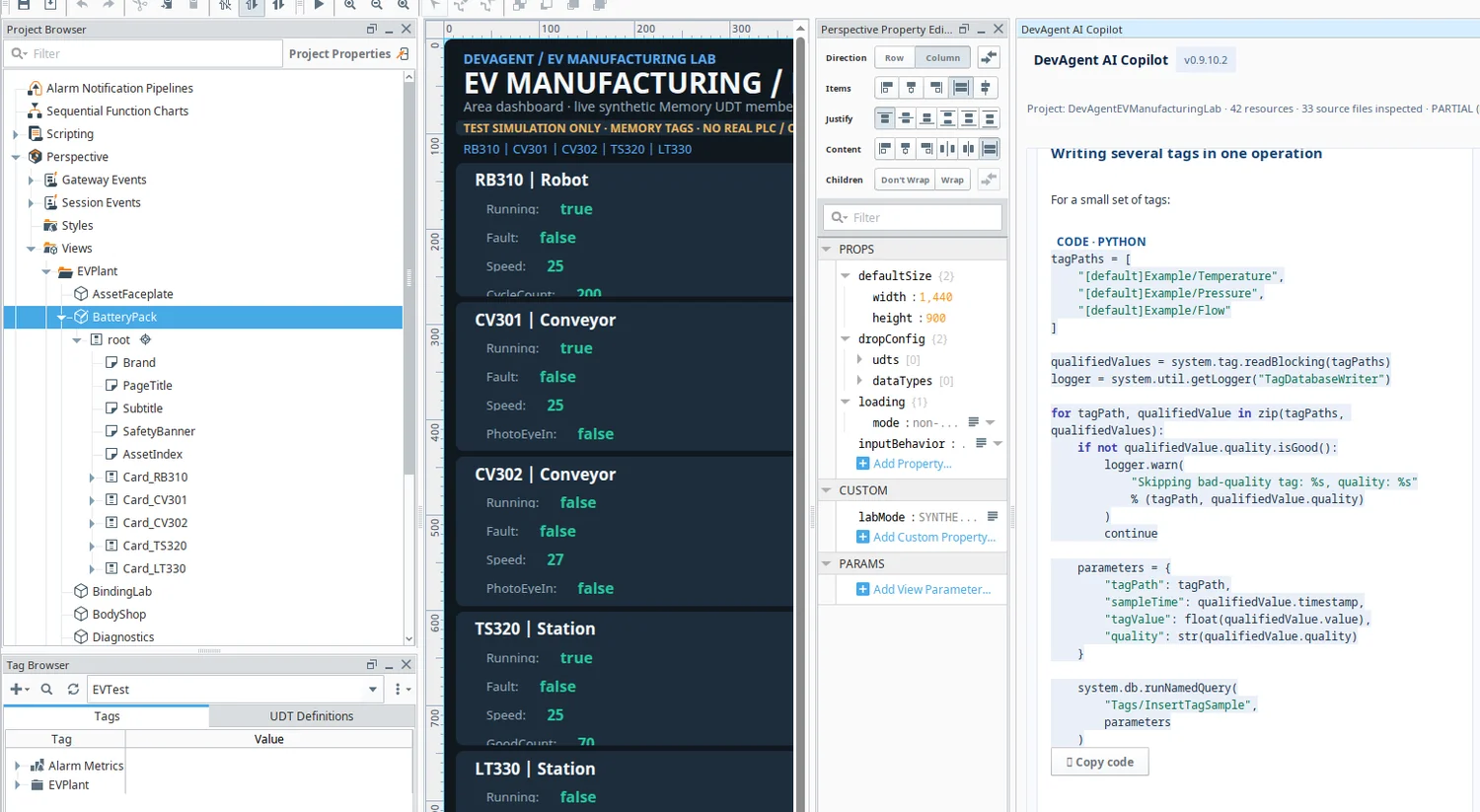
An AI copilot for the people who build and run industrial systems. From Ignition Designer scripts to plant diagnostics, ask questions and get practical guidance right where you work.
 DevAgent AI · Perspective PRODUCT SCREEN
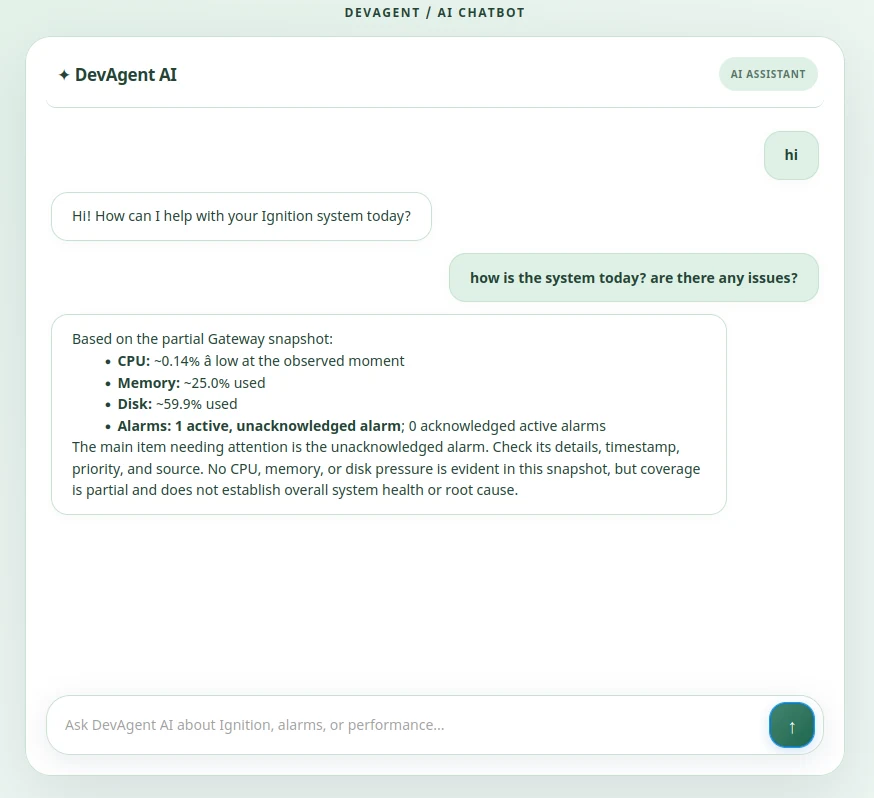
Whether you're new to Ignition or solving an advanced engineering problem, DevAgent AI Copilot helps you explore concepts, understand code, and work through your next step—without leaving Designer.
Tags, bindings, events, scripts, and how an Ignition project fits together.
Perspective views, SQL queries, datasets, and reusable Python patterns.
Gateway events, tag quality, debugging, and engineering trade-offs.
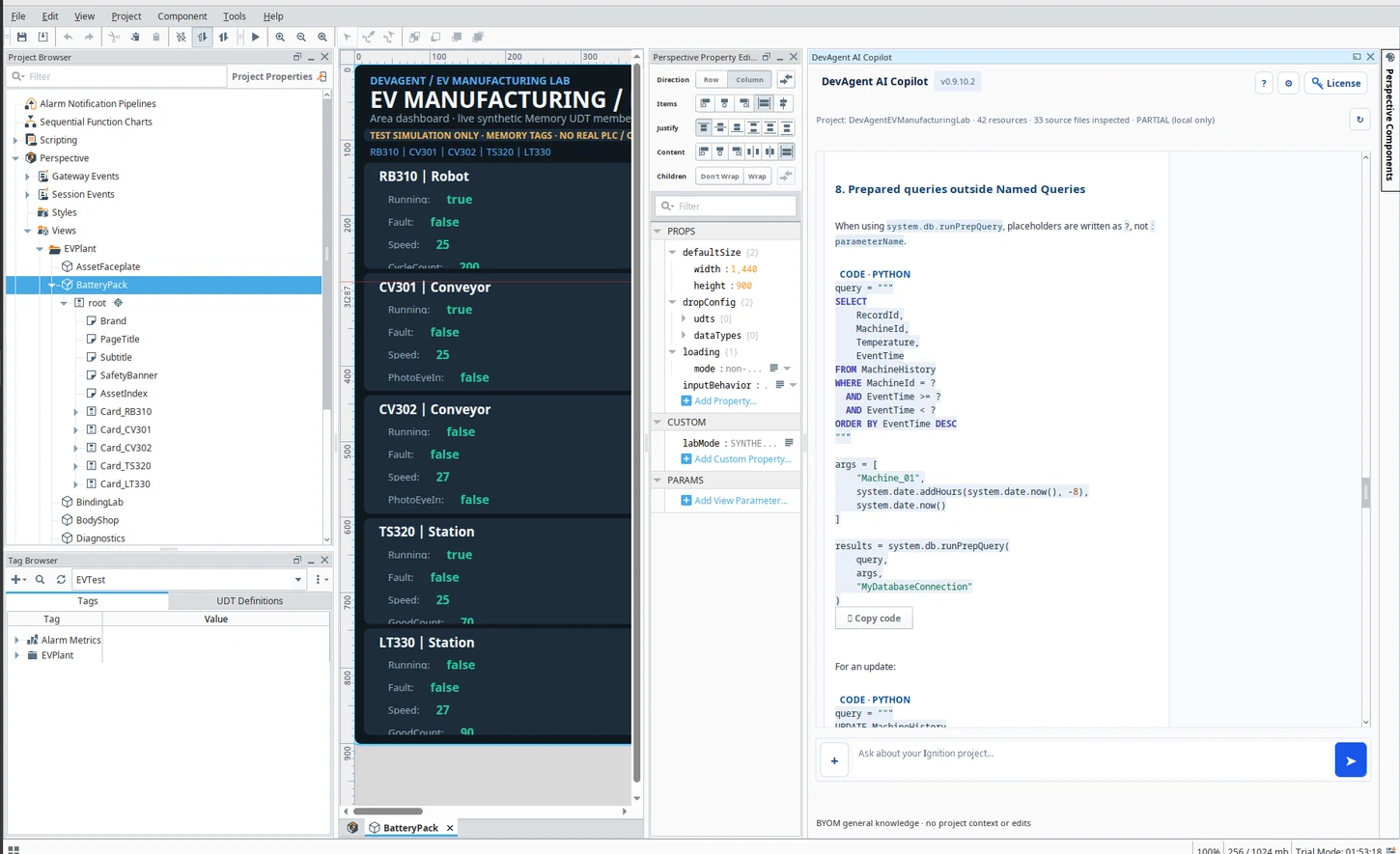
Guidance, not guesswork. Code and troubleshooting suggestions are starting points: test them in your Ignition environment and review changes before production use. Screenshots show a simulated/test project, not verified PLC mappings.
Real screenshots from DevAgent inside Ignition Designer and Perspective. Explore the interface your team would use.
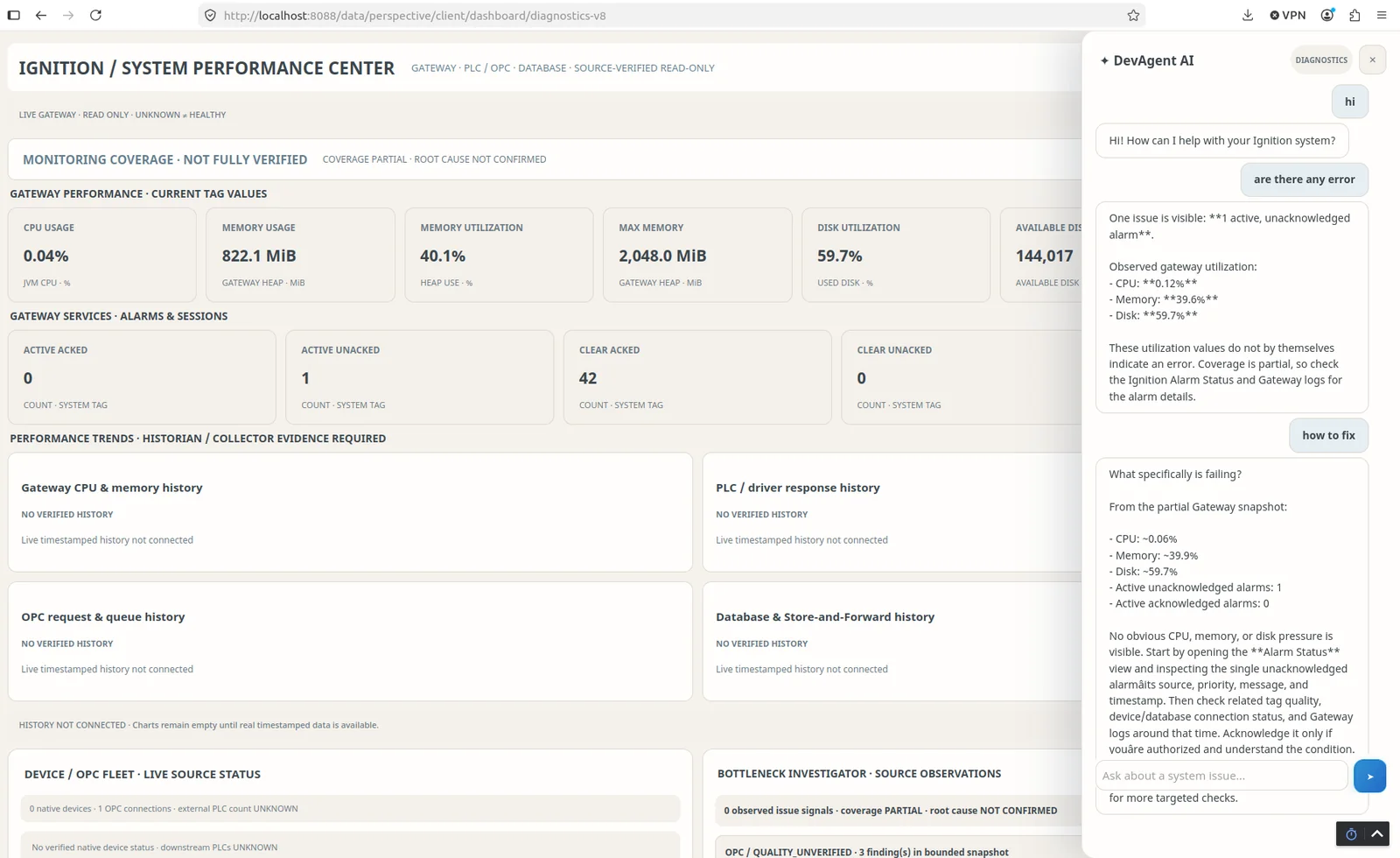
Open DevAgent in Ignition Perspective, ask a question, or start with a quick prompt for alarm troubleshooting, system performance, or Ignition help.
● Actual DevAgent screenshot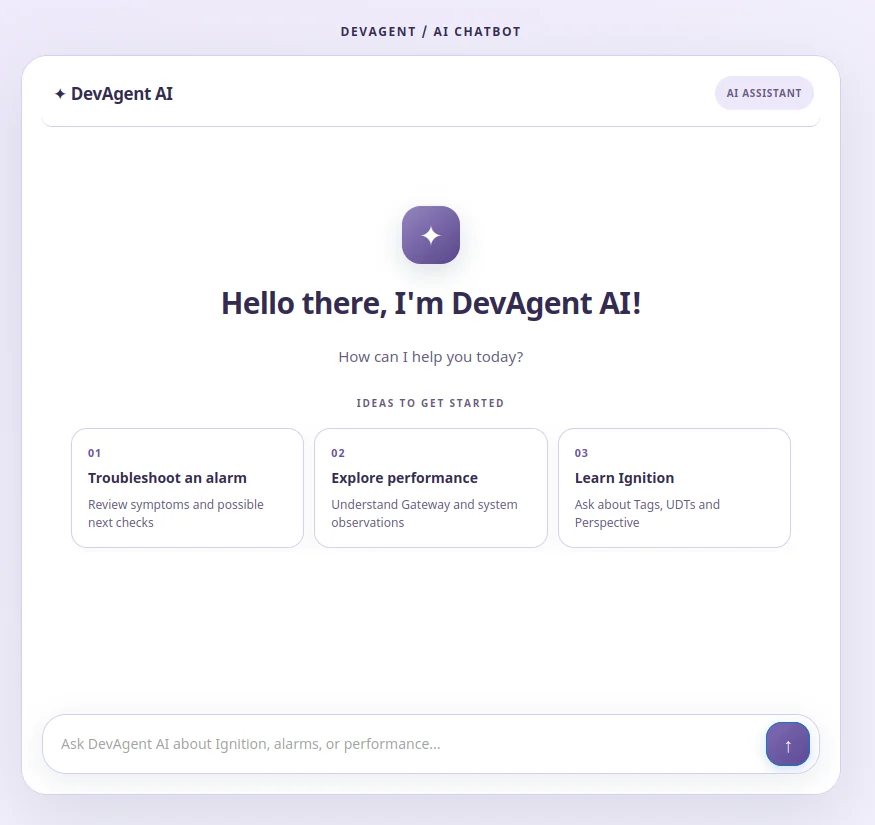
Complex plants need clarity, not another layer of complexity. DevAgent is being built around real everyday industrial questions.
Give operators and technicians a place to ask about alarms, equipment symptoms, and practical next checks.
Ask Ignition questions while working on views, scripts, tags, and project resources.
Bring Gateway status, alarm context, and performance observations into a clearer conversation.
Bring diagnostic information and natural-language assistance into your Ignition workflow. Show operators and technicians the tools they can actually use.
Explore the product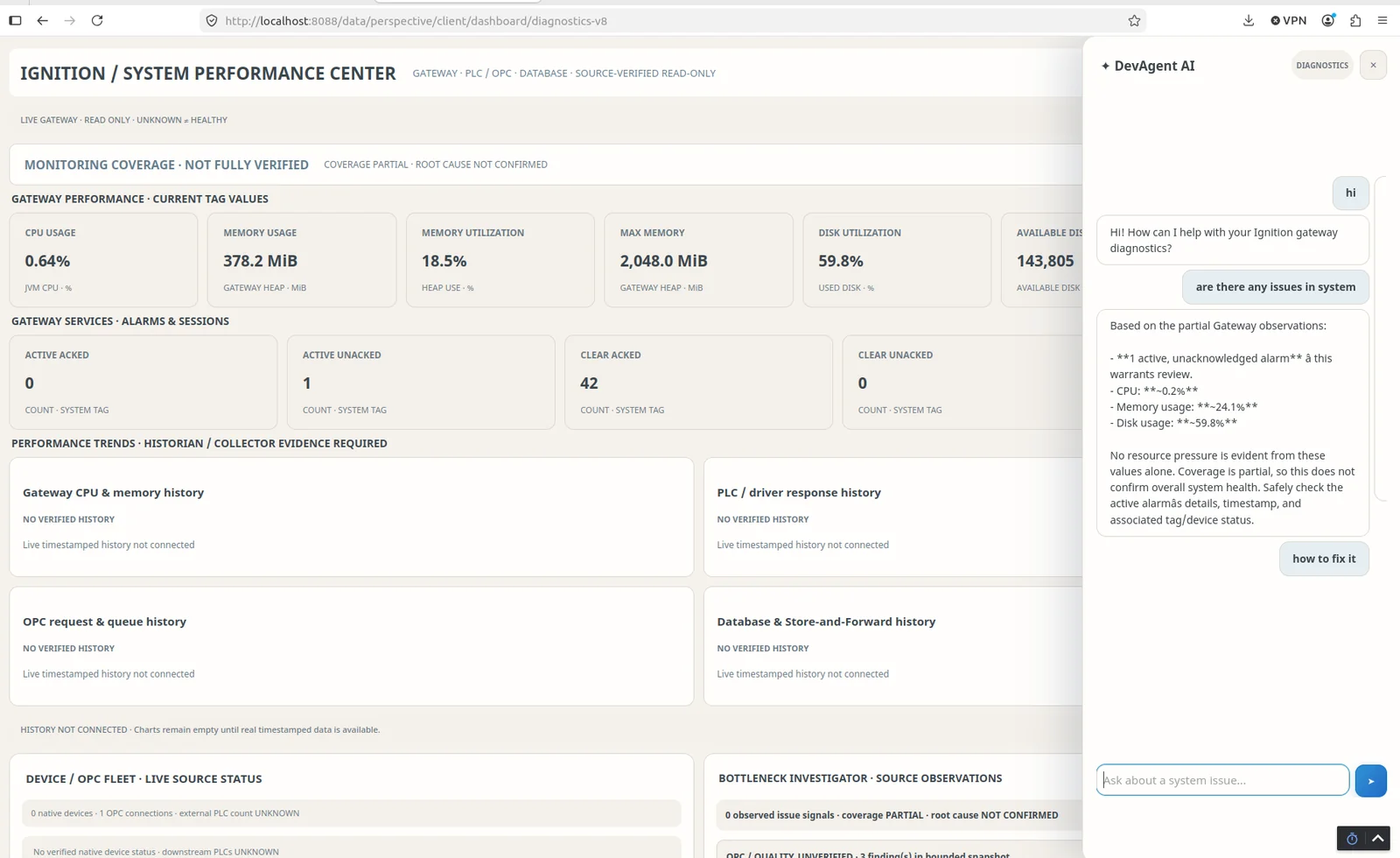
Explore system performance, alarm context and observations in one place.
Give operators and technicians a natural starting point for their questions.
Review Gateway observations, diagnostic details and relevant information available to the application.
Ask about alarms, performance or troubleshooting steps through a familiar chatbot interface.
Use AI suggestions to support investigation—not as a substitute for verified PLC data or engineering review.
Screenshots are from product testing and may include simulated or partial Gateway data. No live PLC deployment, automatic root-cause accuracy, or production performance claim is implied.
DevAgent is designed to fit the Ignition environment you already work in.
Add the DevAgent engine to your Ignition environment following the release instructions.
Use the guided Gateway configuration to set up your chosen provider and manage credentials.
Open the DevAgent chatbot in Perspective and start exploring your configured system context.
DevAgent follows a bring-your-own-model approach. AI configuration belongs in the Ignition environment—not in this public website. Engineers remain responsible for reviewing recommendations and approving any changes.
Less noise. More useful answers. All under your control.
Unsigned developer preview v0.9.10.2 · Isolated Ignition TEST Gateway only · Not approved for production.
Checking for newer website-approved releases…
41faf760b046804ba0af62c209ba5aee54ac67b70f751f43a58195e0f824b90f